Installments. Simplified.
Run your installment business
from one screen, in English or Urdu.
Stop tracking qist payments in a notebook. Qisstify is a Windows app for shops that sell on installments: customers and guarantors, installment plans, receipts, collections and reports.
Free download · Windows 10/11 (64-bit) · About 75 MB
Version 1.0.6, 20 October 2026 · What’s new
Still on Qisstify Pro 2.x? Download the previous version
Home
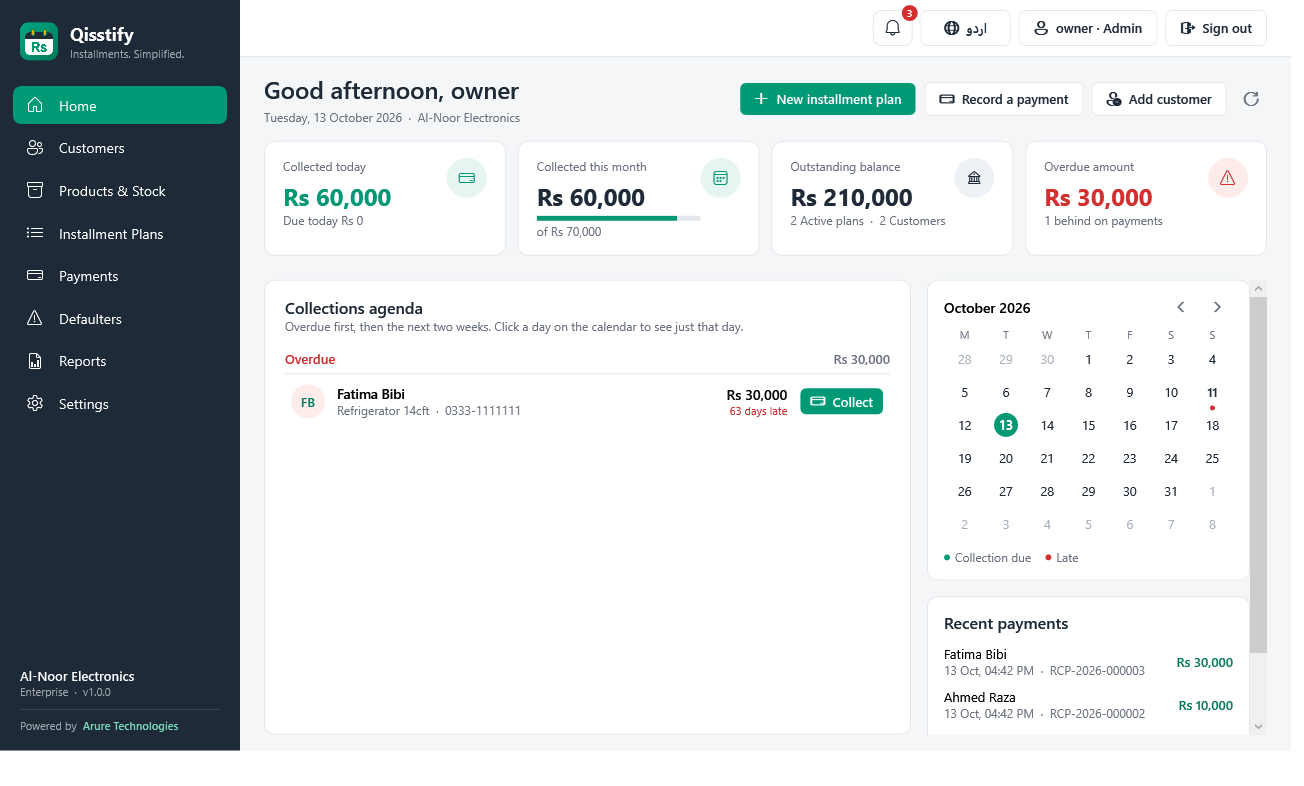
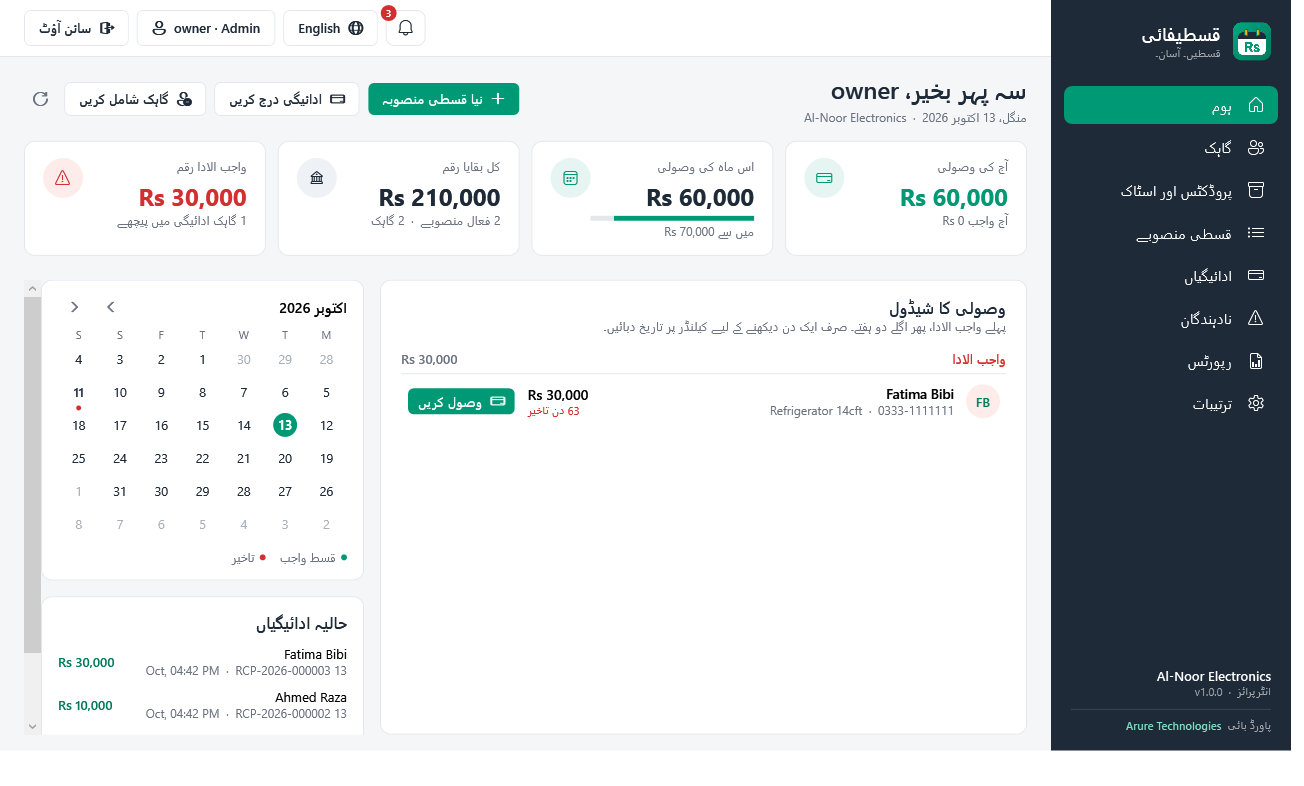
Today’s collections, who is due and who is late, a calendar and the latest payments, on one screen.
Everything an installment shop actually needs
Installment plans in a minute
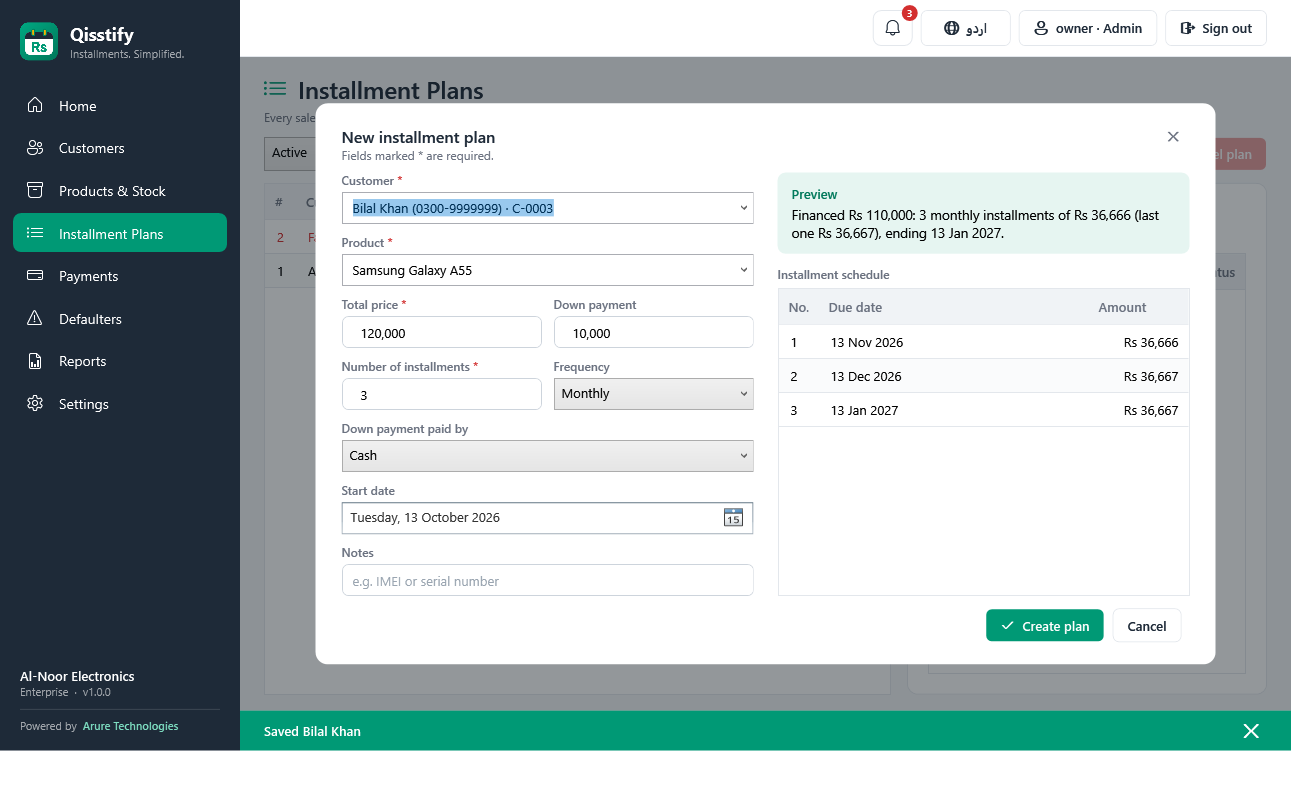
Down payment, then daily, weekly, monthly or quarterly installments. Qisstify works out the schedule and shows it before you save.
Customers with guarantors
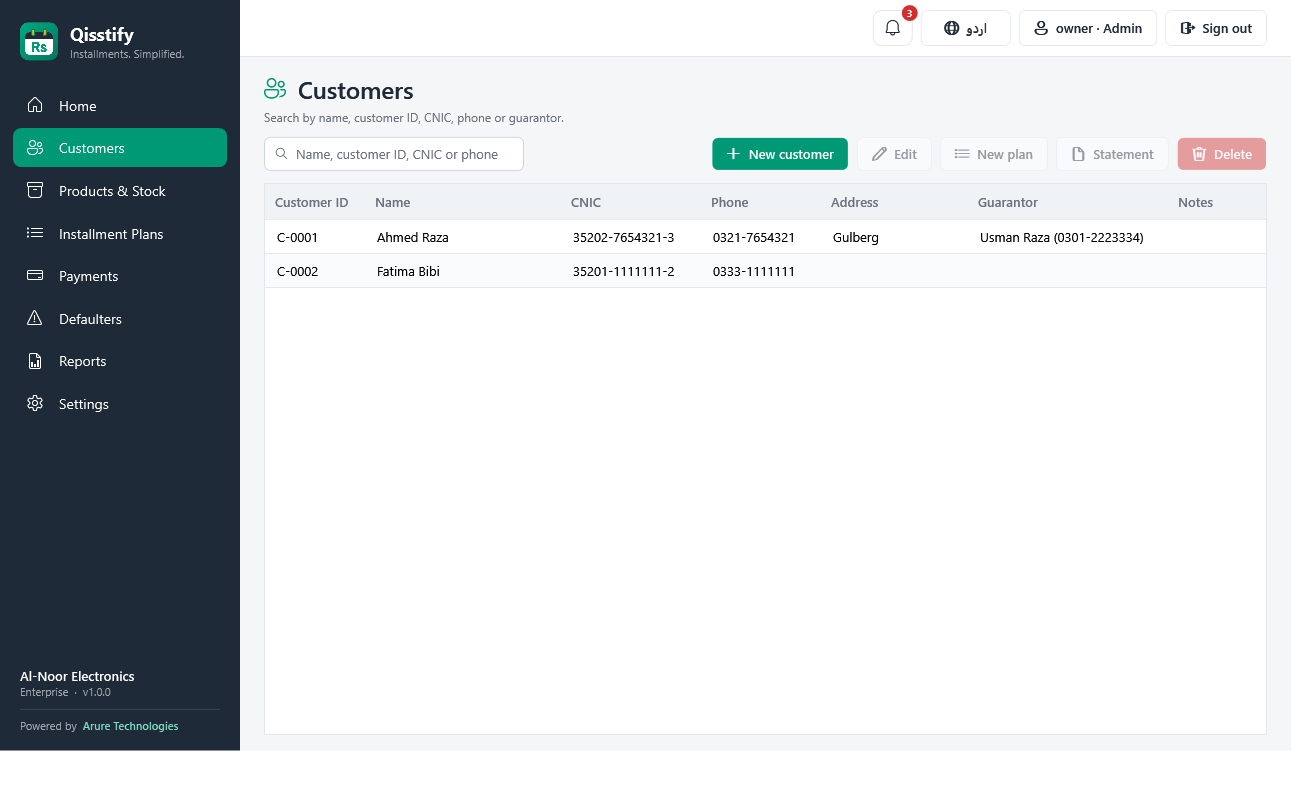
Customer ID, CNIC, phone and address, plus the guarantor’s name, relation, CNIC and phone. Search by any of them.
Receipts in English and Urdu
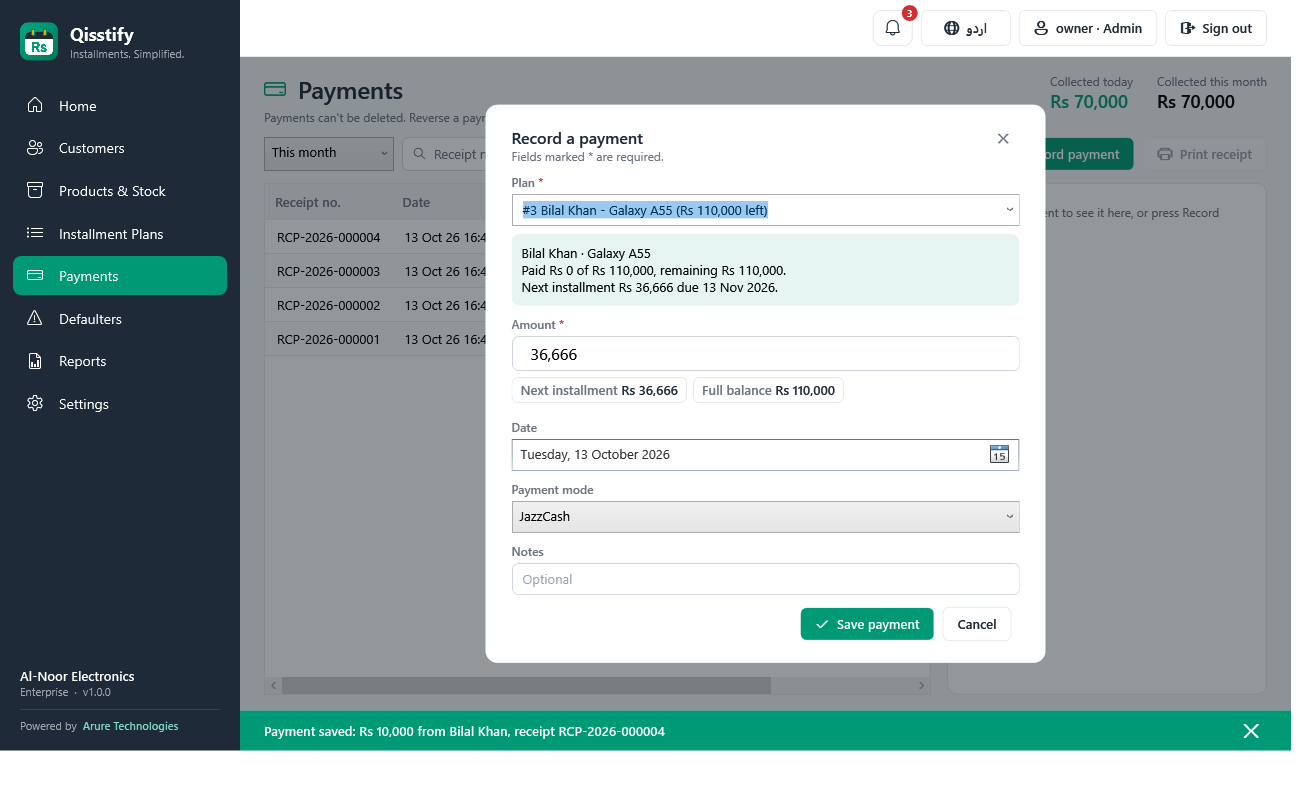
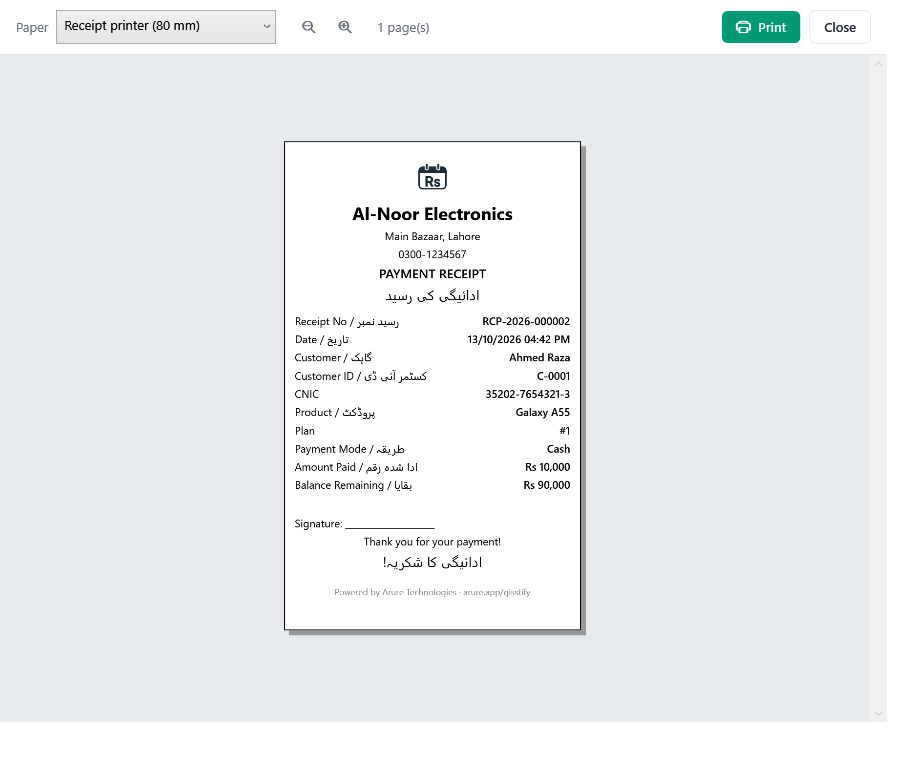
Every payment gets a numbered receipt. Print preview on A4 or an 80 mm thermal printer, or save as PDF.
Know who is late
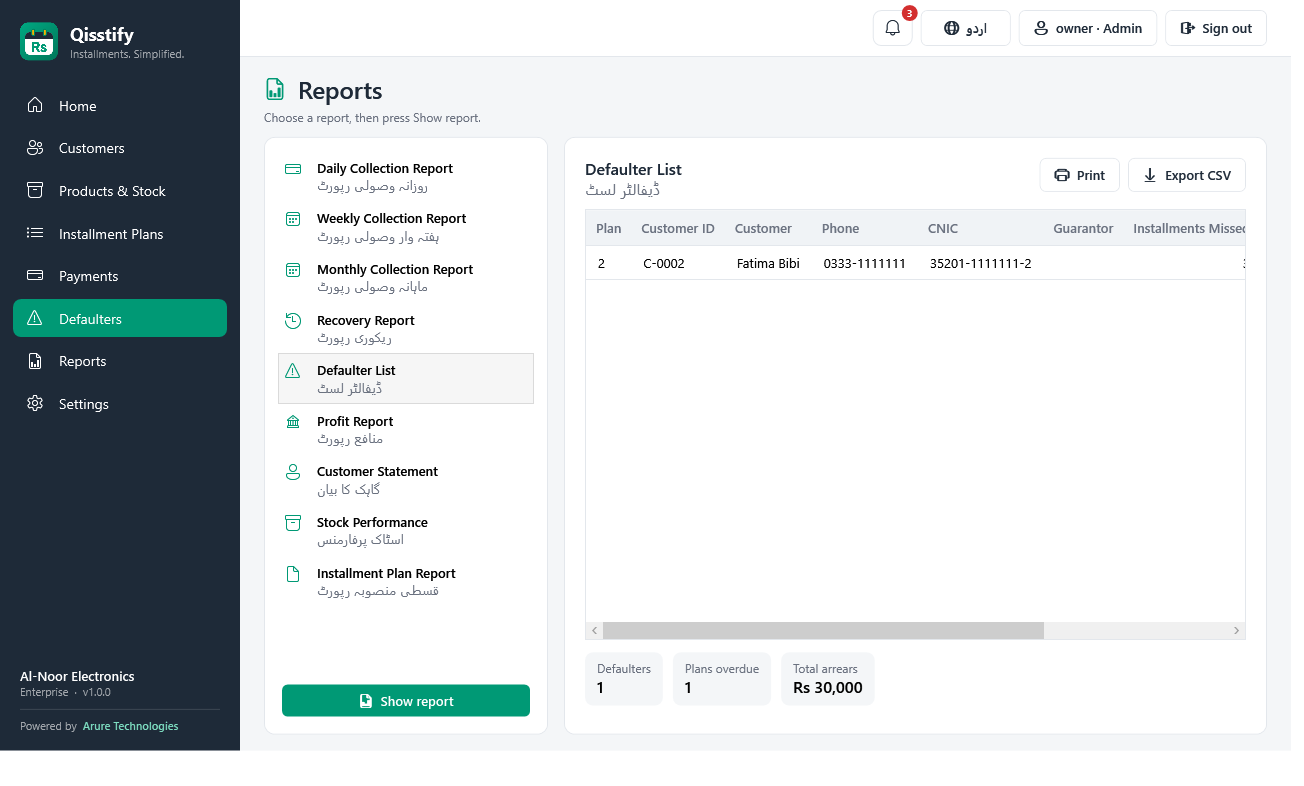
A Home page with today’s collections and a calendar, a defaulters list, a notification bell and daily Windows reminders.
9 ready reports
Daily, weekly and monthly collections, recovery, defaulters, profit, stock, installment plans and customer statements. Print or export to Excel (CSV).
Products and stock
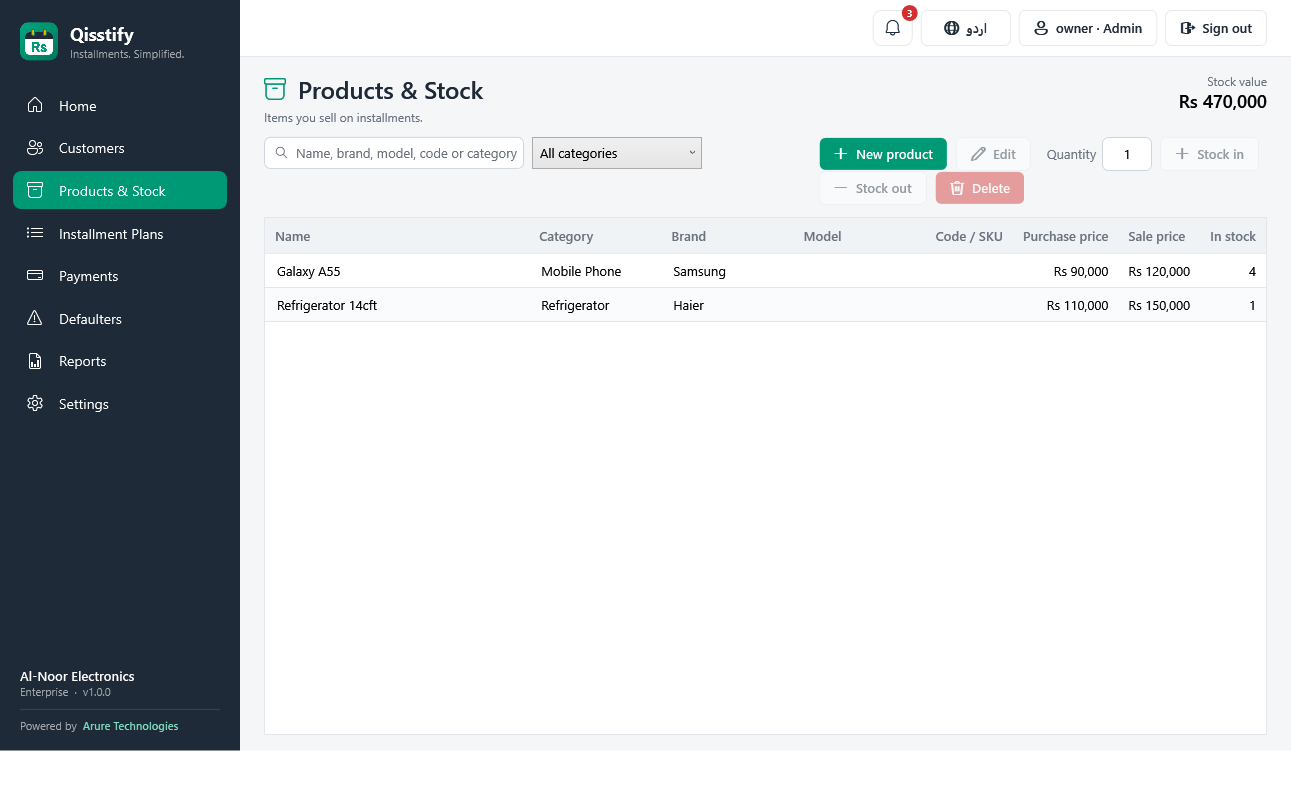
Categories such as mobile phones, laptops, LED TVs, fridges and motorcycles. Stock goes down with each sale and back up if a sale is cancelled.
Your data stays yours
Everything is stored on your PC in an encrypted database. Works without internet.
Backups, also to Google Drive
Automatic encrypted backups twice a day, with a copy to your Google Drive, OneDrive or Dropbox folder. Restore with your recovery key.
Staff logins
Owner, manager and cashier, each seeing only what they should. A cashier can take payments but not cancel sales or reverse payments.
Three steps to get started
Download and set up
Install Qisstify on your Windows PC and enter your shop’s name, phone and address. You can add customers and products right away.
Get your licence in the app
The app shows how to pay. Send the transaction ID from inside Qisstify; once we confirm the payment, the licence installs by itself.
Start selling on installments
Create plans, take payments and print receipts. Qisstify reminds you who is due today and who is late.
One licence. Every feature.
A yearly licence for one computer. Get it from inside the app; no codes to type.
Qisstify licence
1 year · 1 computer
- ✓Every feature: plans, payments, receipts, all 9 reports
- ✓Defaulters list, reminders and notification bell
- ✓Staff logins (owner, manager, cashier)
- ✓Automatic backups, with a copy to Google Drive / OneDrive
- ✓English and Urdu
- ✓Updates during the licence year
The price and payment details are shown in the app. Questions? WhatsApp us
How to get it
- Click Get a licence in Qisstify.
- Pay by bank transfer, JazzCash or Easypaisa, using only the details shown inside the app.
- Enter the transaction ID and send.
- We confirm the payment and the licence installs by itself.
System requirements
Windows 10 or 11 (64-bit) · 4 GB RAM · 500 MB free disk
Any Windows printer, including 80 mm thermal receipt printers. Internet only for the licence.
Common questions
How do I get a licence?
Install Qisstify and click “Get a licence” (it also opens after setup). Pay using the details shown, enter the transaction ID and send. Once Arure Technologies confirms the payment, the licence installs by itself; there is no code to type.
Does it work without internet?
Yes. Qisstify runs on your PC. Internet is only needed to get or renew the licence, and when online it quietly checks the licence about twice a day.
Can I use it on another PC?
A licence works on one computer. Replacing a hard disk or reinstalling Windows is fine. For a new PC, contact us and we will move your licence; restore your backup there with your recovery key.
How do I renew?
Two weeks before the licence ends, Qisstify shows a “Renew” button. Pay and send the transaction ID the same way; the licence is extended on the same PC.
What happens to my data if I uninstall?
Your data stays in your Windows user folder. Installing again, or installing a newer version over the old one, picks up where you left off.
How do I update?
Download the newest version from this page and install it over the old one. Your data and licence are kept. What’s new lists the changes in each version.
Is my data safe?
The database and every backup are encrypted. A backup from another PC can only be opened with your shop’s recovery key, shown in Settings.
Which languages does it support?
English and Urdu: the whole app, receipts and reports. Switch with one click at the top of the window.